Chad Rubin
April 23, 2026 · 12 min read
Operator notes by email
Short, opinionated takes on AI agents, Amazon PPC, pricing, and inventory. No fluff. About once a week.
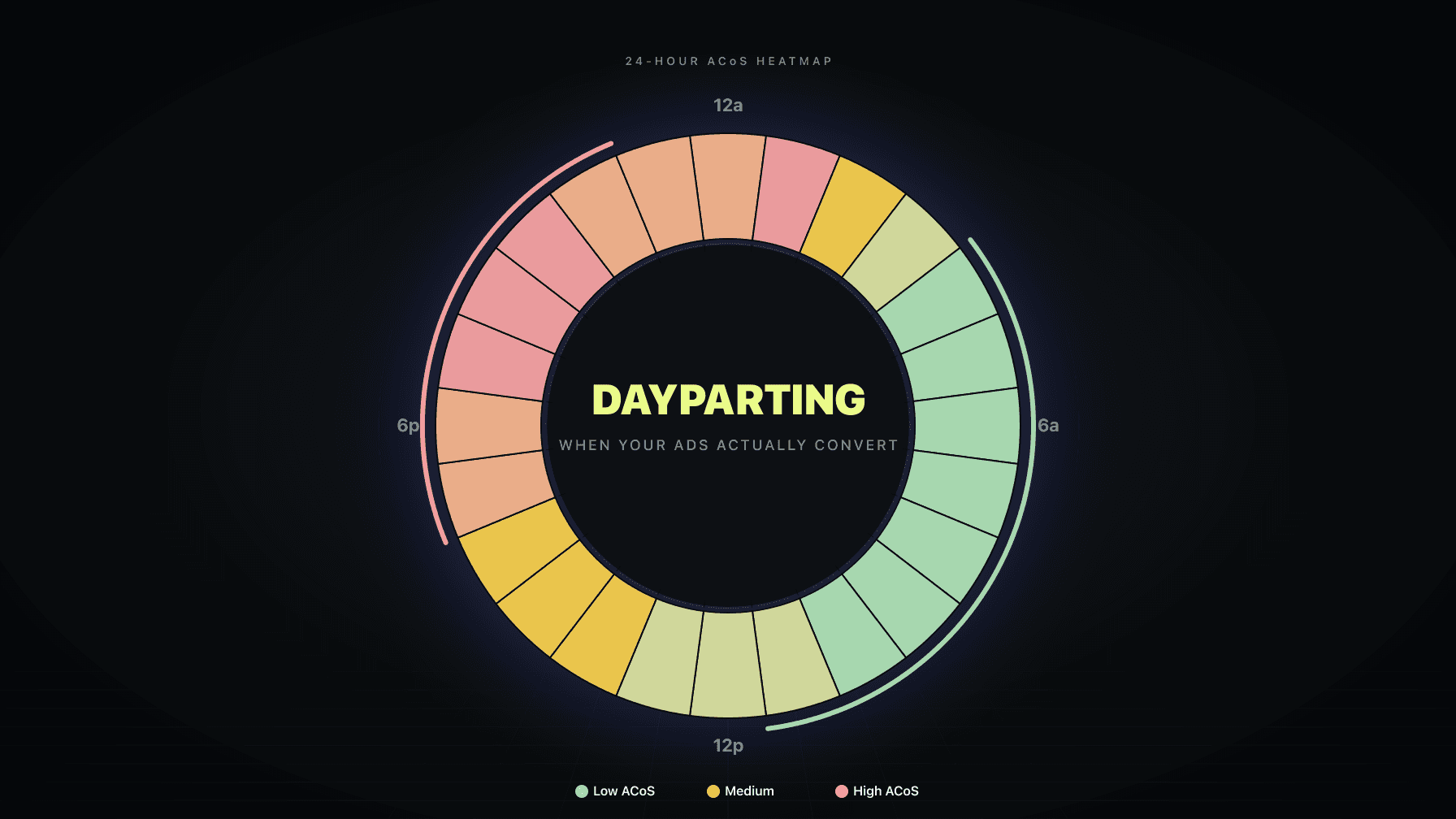
Amazon dayparting is the practice of adjusting your PPC bids and budgets by time of day or day of week so your ads push harder when shoppers are converting and pull back when they are not. Done right, it can triple sales on a stuck product and cut ACoS nearly in half. Done wrong, it makes your performance worse and leaves you blaming the wrong thing.
I have run a 7-figure Amazon brand for over a decade and watched dayparting cycle through three phases of hype: miracle hack, waste of time, back to miracle hack. The truth is somewhere in the middle, and the sellers who get results treat dayparting the way they should treat every other PPC lever — as a tool that works in specific situations when you have the data to support it.
This guide walks you through the exact hourly analysis method we use, the real Amazon dayparting rules that made a difference on our own products, and the cases where dayparting genuinely did not work. No silver-bullet promises. Just the playbook.
Key Takeaways
Amazon dayparting is the practice of making rule-based adjustments to your PPC bids or budgets based on the time of day or the day of the week that your ads tend to perform best. The rules can take two forms:
The reason sellers care about dayparting is simple. If your data shows that your campaign is generating 40% of its orders between 4 a.m. and 12 p.m. but only 10% between 3 p.m. and midnight, you are almost certainly over-spending in the evening and under-spending in the morning relative to the conversion reality. Dayparting is how you close that gap.
From reading to action
If the framework above sounds familiar, your Amazon account is probably carrying the same drag. Apply and we will show what Marko, Oracle, and Bruno would change in your first week.

Ran a 7-figure Amazon brand for a decade. Founded Skubana (acquired). Co-founded Prosper Show. 15+ years on Amazon.
Head-to-head comparisons between Profasee and the tools most Amazon sellers already use.
Join the brands that replaced agencies and tools with AI employees.
The reason sellers get disappointed with dayparting is that most advice skips the analysis and jumps straight to "raise bids in the morning." That is not dayparting. That is a guess dressed up in a nicer word.
Most of what gets written about Amazon dayparting comes from people who either (a) have not actually run it on a real account or (b) are selling you the software that runs it for you. Neither one has an incentive to tell you the truth, which is:
Dayparting is not usually the most important optimization lever on your account. Before you even think about hourly rules, you should have dialed in your match types, negative keywords, search term report hygiene, product targeting, and bidding strategies. If those are sloppy, dayparting is like waxing a car with four flat tires.
Dayparting only works when your conversion pattern is actually non-uniform. Some products sell consistently across a 24-hour day. Skincare, meal-prep staples, and certain impulse categories show strong hour-of-day patterns. Replacement parts and B2B supplies often do not. You do not know which bucket your product is in until you run the analysis.
Aggressive rules can hurt you. The temptation, once you see a pattern in the data, is to crank up a 200%+ bid multiplier on your best hours and slash 80% from your worst. That often over-corrects and collapses placement. A placement drop during peak hours can tank your organic rank for days.
With that out of the way, here is the process that actually works.
You can do this entire analysis in about 15 minutes. No paid tools required. You just need Seller Central access and Google Sheets.
Log into Seller Central, open the advertising console, and click Campaign Manager. In the left sidebar, go to Measurement and reporting → Sponsored ads reports and click Create report.
Configure it like this:
Amazon limits each hourly report to 14 days. You want at least 28 days of data for pattern confidence, so run a second report for the previous 14 days. Download both CSVs when they are ready.
Open a new Google Sheet. Use File → Import to load the first CSV. On the import screen, choose "Replace spreadsheet," leave the "Detect automatically" box checked, and click Import data.
Then import the second CSV with "Append to current sheet" so both date ranges end up in one table. Delete the duplicated header row from the second file so you have a single clean dataset of 28 days of hourly campaign data.
This is where the analysis actually happens. In your sheet, select column A and click Insert → Pivot table → Create.
Configure the pivot:
You should now see 24 rows, one per hour, with your aggregated impressions, clicks, orders, sales, and spend.
The pivot gives you raw numbers. You need derived metrics to see patterns. Add four columns to the right of the pivot:
Autofill each formula down all 24 rows.
This is the step that turns a spreadsheet into insight. Select the ACoS column, click Format → Conditional formatting → Color scale, and choose the red-to-white-to-green preset. Swap the min and max so that min value is green (low ACoS = good) and max value is red (high ACoS = bad).
Repeat for CTR and CVR, but flip the polarity: min red, max green (higher is better for both).
Skip CPC. In most accounts, CPC varies too little across hours to produce a meaningful heatmap and it just adds visual noise.
You now have a color-coded 24-row grid. Take a minute and just look at it.
The patterns that matter are not individual outlier hours. They are contiguous blocks of green or red.
On one of our skincare products, the morning block (4 a.m. to 12 p.m.) was nearly all green across ACoS, CTR, and CVR. The evening block (3 p.m. to midnight) was nearly all red across the same metrics. The interpretation was straightforward: people think about their skincare routine in the morning and are less likely to click or convert in the evening.
Your product might show the opposite pattern, a weekend skew, or no pattern at all. All three are valuable answers. You only learn which one by running the analysis.
If you see no meaningful pattern, dayparting is not the lever to pull. Go back to your keyword and placement strategy.
Once you know your pattern, you need a place to implement the rules. Amazon's own dayparting tool lives inside each campaign, under Budget rules → Add budget rule.
Here is what it actually lets you do:
Here is what it does not let you do:
For these reasons, most sellers who are serious about Amazon dayparting either (a) accept the constraints and run the budget-only version, or (b) use software that can do hourly bid adjustments in both directions.
One workaround that sometimes gets recommended: pausing and restarting campaigns at specific hours. Do not do this. Amazon's delivery system and learning algorithms need consistent runtime to collect and use data. Pausing campaigns hourly fragments the signal and makes everything downstream worse.
Whether you are using Amazon's tool or a bid-level tool, the rules you set are what determine whether dayparting helps or hurts.
When you adjust an entire day uniformly, you effectively change your campaign's placement eligibility for 24 hours straight. That can shift where your ad shows (top-of-search vs. rest-of-search) and, in turn, drop your CTR and organic rank.
Hourly adjustments stay narrower. You keep your day-over-day placement steady and only change behavior in the specific windows where the data warrants it.
Some dayparting tools will look at your data and recommend bid multipliers like +270% on your best hour or −80% on your worst. Those numbers are mathematically correct based on your account's conversion rates, but they over-correct in practice.
A good starting range:
If you adjust your baseline bids on Monday and start dayparting on Tuesday, you cannot tell which change caused what. Keep them on separate cycles so you can isolate the impact.
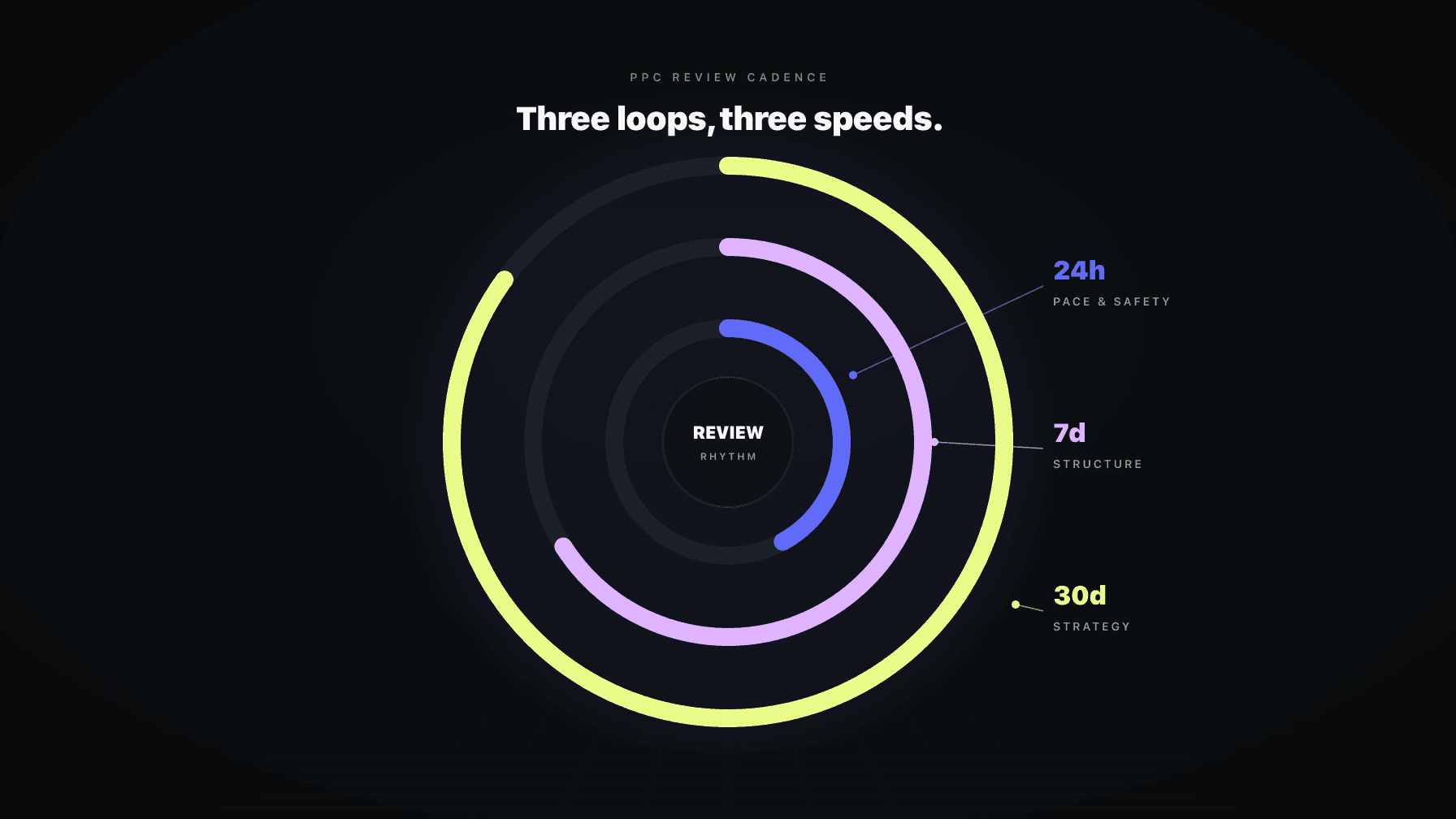
A clean cadence: optimize baseline bids on week 1, let it settle for 2–3 weeks, then revisit dayparting on week 4. Repeat.
Once you have run the manual analysis once or twice and seen how it works, the honest answer is that you probably do not want to run it manually every month across dozens of products. It gets repetitive, and the biggest insight (the hour-by-hour pattern) is something a good system should be detecting and acting on automatically.
This is where Marko, Profasee's AI PPC manager, does the work for you. Marko pulls hourly performance data continuously, detects meaningful hour-of-day and day-of-week patterns per ASIN, and applies bid multipliers that stay within the 15–60% sane range by default. When a pattern changes — a product's audience behavior shifts, a seasonal skew emerges, a competitor moves — Marko rebalances without you having to export another CSV.
The more important thing Marko does that no standalone dayparting tool can: coordinate the dayparting rules with pricing and inventory. If Oracle raises a price on an ASIN, Marko knows the margin changed and adjusts the hourly multipliers to account for the new unit economics. If Bruno (the demand planner) flags low inventory, Marko pulls back hourly spend on the affected ASIN instead of continuing to push into a stockout.
Standalone dayparting software can do the mechanics. It cannot do the coordination. That is the difference between optimizing one signal and optimizing the business.
We had a product that we had tried every other PPC fix on. Keyword additions, negative harvest, bidding-strategy experiments, match-type rebalancing. The sales curve was flat and the ACoS was barely profitable. Dayparting was the Hail Mary.
We ran the hourly analysis above and found that the product's performance was concentrated in a narrow window during the middle of the day. We used Amazon's budget-rule tool to boost budget during that window and manually reduced overall spend to pull back from the bad hours.
Sales tripled within two weeks. The volume had been there all along — we were just distributing spend against the wrong hours.
A different brand had the opposite problem. Sales were decent but ACoS was volatile — swinging between 25% and 45% depending on the day. We moved it onto automated hourly bid adjustments across roughly six defined hourly bands per day.
Within a month, ACoS flattened out in the low-20s and held there. Sales grew in parallel. The bid decreases during the worst hours were doing most of the work — we were simply paying less per click for traffic that converted at the same rate as before, which dropped our overall ACoS while preserving volume.
Same principle as case 1. Different direction.
Honest version: we have also had brands where dayparting produced no improvement or a slight decline. Here is when that happens.
If you have done the analysis, applied moderate adjustments, and still see no lift after 3–4 weeks, turn dayparting off for that ASIN and focus somewhere else. There is no shame in concluding the lever does not apply to your product.
Once dayparting is running, the temptation is to tweak it constantly. Don't. You need enough data between changes to know what moved the needle.
A disciplined monthly rebalance produces better results than weekly fiddling. Treat dayparting like a strategic review, not a daily chore.
Sometimes. When your product has a genuine hour-of-day or day-of-week conversion pattern and you apply moderate adjustments (±15–60%), dayparting can deliver a meaningful lift — we have seen it triple sales on a stuck product and cut ACoS nearly in half on another. When your product has no real pattern, or you over-adjust, it will not help and can hurt.
Bid optimization adjusts your base bid based on how a keyword or target is performing overall. Dayparting adjusts a multiplier on that base bid (or on the budget) depending on the time of day or day of week. You do both. Bid optimization answers "how much should I pay for this keyword?" Dayparting answers "when should I pay more or less for it?"
Every 3–4 weeks is the cadence that works across most accounts. You need at least 2–4 weeks of data between changes to separate signal from noise. Rebalancing weekly leads to overfitting and chasing short-term fluctuations.
Yes. The manual method in this guide — Seller Central hourly export → Google Sheets pivot table → heatmap — costs nothing and gives you the same pattern insight that paid software would. The trade-off is that Amazon's built-in dayparting rules can only increase budgets, not adjust bids, so your implementation is more limited than what software can do.
There is no universal best hour. It depends entirely on your product, audience, and category. Skincare products tend to skew toward morning. Late-night snack categories skew toward evening. B2B supplies skew toward weekday business hours. The only way to find the right hours for your product is to export your own hourly data and analyze it. Any article that gives you a specific "best hour" without looking at your data is guessing.
No. Pausing campaigns hourly fragments Amazon's learning data and degrades performance over time. Use bid or budget adjustments instead, which keep the campaign active and running but change the aggressiveness of participation.