Chad Rubin
April 27, 2026 · 11 min read
Operator notes by email
Short, opinionated takes on AI agents, Amazon PPC, pricing, and inventory. No fluff. About once a week.
Sellers love the idea of AI Amazon PPC management until the first weekend the algorithm goes off-script and burns through a $4,000 daily budget by Saturday afternoon. Then they pull the plug, blame the AI, and go back to manual.
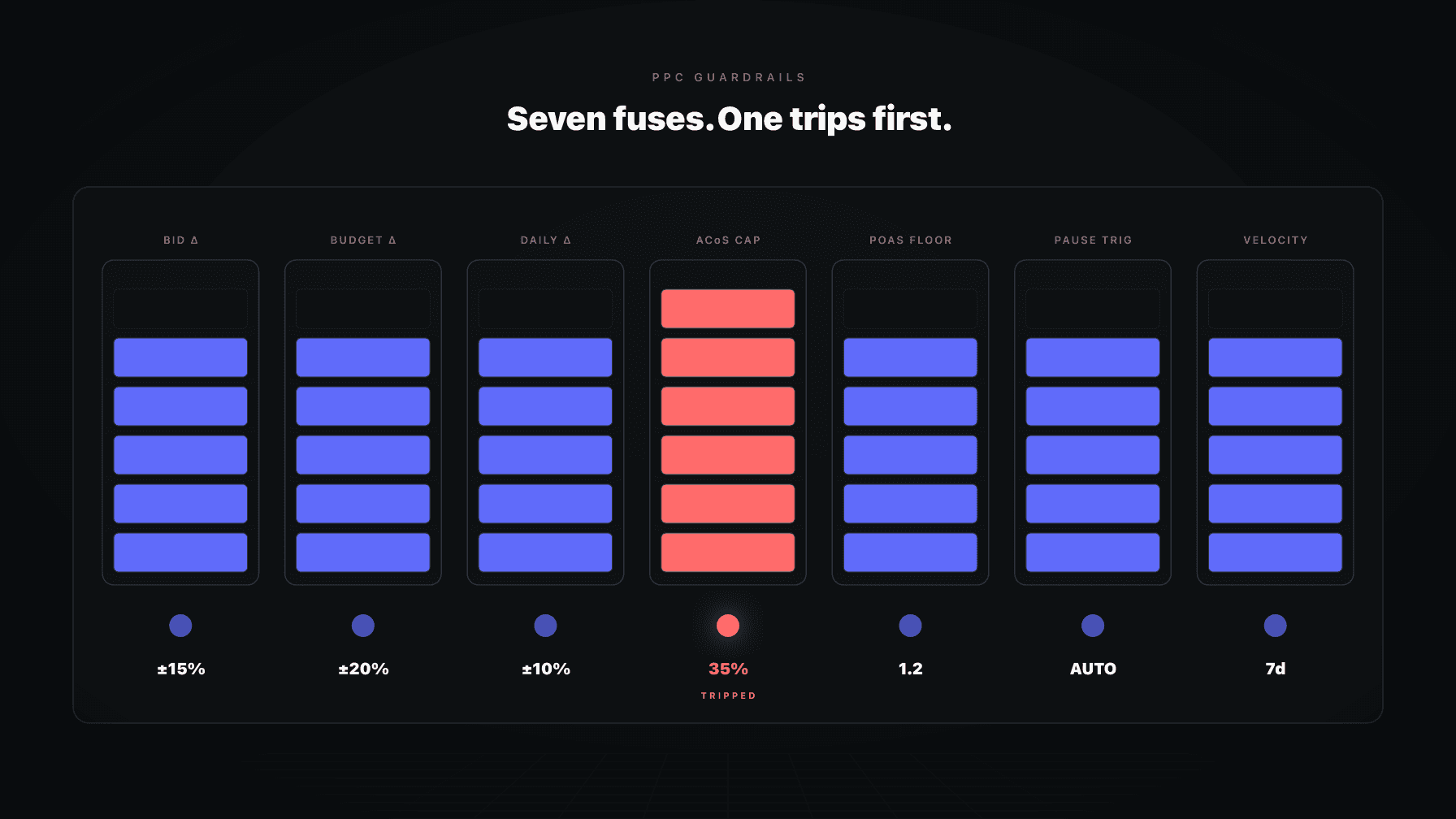
The AI was not the problem. The guardrails were. Or more precisely, the absence of them. Every serious Amazon PPC AI ships with risk and speed limits that govern how aggressively it can move bids, shift budgets, and execute changes. Most sellers treat these settings as advanced configuration and skip past them. That is the mistake.
I have run a 7-figure Amazon brand for over a decade and have watched dozens of accounts blow up not because the algorithm was wrong but because nobody set the brakes. Amazon PPC guardrails are the difference between automation that works for you and automation that works against you while you sleep.
This post is the deep-dive on the risk and speed limits we cover in our AI Amazon PPC management playbook. It walks through every guardrail that matters, what each one does, how to calibrate it, and the failure modes that show up when the values are wrong. By the end you will be able to set up an account that moves fast without ever creating a budget shock.
Key Takeaways
AI Amazon PPC management makes thousands of small decisions per day. Most of them are right. Some of them are wrong. The job of guardrails is to make the wrong ones cheap.
Without guardrails, a single misjudged keyword bid can run for 18 hours before it gets caught. A misread of a Prime Day spike can authorize a 3x budget increase against what should have been treated as a temporary signal. A click-fraud event on a single ASIN can drain spend before any human sees it.
Guardrails do not prevent the AI from making a wrong decision. They prevent the wrong decision from compounding. That is the only reliable way to give automation enough autonomy to be useful while keeping the downside bounded.
From reading to action
If the framework above sounds familiar, your Amazon account is probably carrying the same drag. Apply and we will show what Marko, Oracle, and Bruno would change in your first week.

Ran a 7-figure Amazon brand for a decade. Founded Skubana (acquired). Co-founded Prosper Show. 15+ years on Amazon.
Head-to-head comparisons between Profasee and the tools most Amazon sellers already use.
Join the brands that replaced agencies and tools with AI employees.
Read every guardrail through that lens. The point is to keep the bad day small, not to eliminate bad decisions. Eliminating bad decisions is not possible. Bounding their cost is.
The hard ceiling. No keyword, ASIN target, or product target can be bid above this number. Period.
Most accounts should set this somewhere between 1.5x and 2.5x your average winning bid for the category. Below 1.5x and the AI cannot reach the bids it needs on premium placements. Above 2.5x and you are giving the algorithm room to make a single expensive mistake.
If you sell across multiple categories, set max bid per ad group, not per account. Beauty has very different bid economics than pet supplies. A single max bid across both will be wrong for one of them.
The maximum bid is the most consequential guardrail in the system. It is also the one most often left at the default. Audit yours.
How aggressively the AI is allowed to move any single bid in a single day. Typically expressed as a percentage of the current bid.
A daily bid change limit of 15% means the AI can raise or lower a $1.00 bid to between $0.85 and $1.15 in one cycle. To move a bid from $0.50 to $1.50, the system needs roughly eight days.
Tight limits (10% to 15%) suit mature accounts where you want stability and want to avoid whiplash. Looser limits (25% to 40%) suit launch periods, recovery from a stockout, or accounts that need to react quickly to a competitive shift.
The default in most tools is too loose. We recommend starting at 15%, then loosening only on a campaign-by-campaign basis when speed matters more than smoothness.
Same concept, applied to campaign budgets. How much can the AI shift a daily budget in one cycle.
This one matters more than people realize. Bid changes affect cost per click. Budget changes affect total daily spend. A 50% budget increase across a portfolio is a much bigger event than a 50% bid increase, because the budget change moves the spend ceiling.
Standard recommendation: 20% per cycle on mature campaigns, up to 40% on launch campaigns inside the 90-day window. Above 40% per cycle, the AI is making structural decisions that should be human-approved.
This is the circuit breaker. If a campaign's rolling ACoS exceeds this threshold, the AI pauses or caps spend on that campaign until a human reviews.
Set the brake at a level that represents "this is not normal anymore." For most brands this is 1.5x to 2x your campaign target. If your target ACoS is 25%, an emergency brake at 50% catches genuine problems without firing on every weekly fluctuation.
If you have switched to target POAS, the brake should be a POAS floor instead, not an ACoS ceiling. Running an ACoS-based brake on a POAS-targeted account is one of the most common configuration mistakes. We cover the migration in the target POAS deep-dive.
Per-cycle caps on how much the AI can shift a budget up or down in one move. Distinct from the daily budget change limit because these set absolute floors and ceilings.
A typical configuration: increases capped at $200 per cycle for any single campaign, decreases capped at 50% of the current budget. The asymmetry is intentional. Aggressive cuts protect cash. Aggressive increases create exposure.
If your portfolio has campaigns with very different budget magnitudes (a $50/day discovery campaign sitting next to a $1,500/day hero campaign), set these as percentages of campaign budget, not absolute dollar amounts. One number does not fit both.
Total number of bid or budget actions the AI is allowed to execute in a single cycle. The point is to prevent the system from rewriting half the account in one pass.
For an account with 200 active keywords and 30 campaigns, a reasonable max-changes-per-cycle is 30 to 50. Above that, the AI is touching too much at once for a human to follow what changed. Below 20 and the system cannot keep up with normal account drift.
This is the guardrail that protects your audit trail. If 200 changes hit on a Tuesday, no human can review them. Capping at 30 to 50 means tomorrow's review is actually doable.
Distinct from max changes per cycle. Quotas track total volume of changes over a 24-hour rolling window. The system enforces them regardless of how many cycles run.
Quotas catch the failure mode where a tool runs three cycles in a day (morning, midday, evening) and each one stays under the per-cycle cap, but the cumulative effect is 90 changes the human did not see.
Recommended starting point: bid quota at 50, budget quota at 15. Tighten if the account is small, loosen if it is large.
Hard ceilings on how fast total ad spend can grow. Distinct from budget change limits because these aggregate across the whole account.
A daily spend increase limit of 10% means total account spend cannot grow more than 10% from yesterday. A weekly spend increase limit of 30% means the same idea on a 7-day window.
These are the guardrails that catch the cascade scenario: every campaign authorized a small increase, but the total compounded into a budget shock. Without an aggregate ceiling, the per-campaign limits cannot see each other.
For most brands, daily +10% and weekly +30% is the right starting point. Tighten weekly to +20% if cash flow is sensitive.
The number of clicks an unconverting search term must accumulate before the AI is allowed to negate it. Lower numbers are more aggressive at killing waste. Higher numbers wait for more data.
Common settings: 10 clicks for tight-margin SKUs, 20 to 25 for normal SKUs, 40 for high-margin SKUs where conversions are rarer but more valuable.
Set this too low and the AI negates terms that would have converted on click 11. Set it too high and it bleeds budget waiting for statistical confidence that may never arrive.
The statistical confidence required before the system can treat an unconverting search term as truly unprofitable. Higher confidence means the system waits longer before acting.
Most accounts run at 80% to 90% confidence. Below 80% the system fires on noise. Above 90% it fails to act on real waste because the data takes too long to ripen.
The combination of click threshold and confidence threshold determines how decisive the system is on search-term curation. Tune both, not one.
The bar the AI must clear to act on a recommendation without asking. Below this threshold, the system drafts the change for human approval.
If you are in Ask Me First mode, every change is approval-gated and this setting does not matter. If you are in Handling It mode, this setting decides which changes go through unsupervised.
Recommendation: 85% for most accounts. Bump to 90% for high-spend portfolios. Drop to 75% only on accounts where you have monitored the AI's judgment for at least 60 days.
The amount the AI cuts bids when an ASIN hits critical inventory levels. Ties PPC behavior to your inventory position.
If you sell out of an ASIN, every dollar of ad spend on that ASIN is wasted. Not partially. Completely. The traffic lands on an out-of-stock listing, the conversion rate goes to zero, and the campaign metrics tank.
A standard configuration: low inventory triggers a 30% bid reduction, critical inventory triggers a 70% bid reduction or a full pause. The thresholds depend on your replenishment lead time. Brands with 90-day lead times need to start tapering earlier than brands with 14-day lead times.
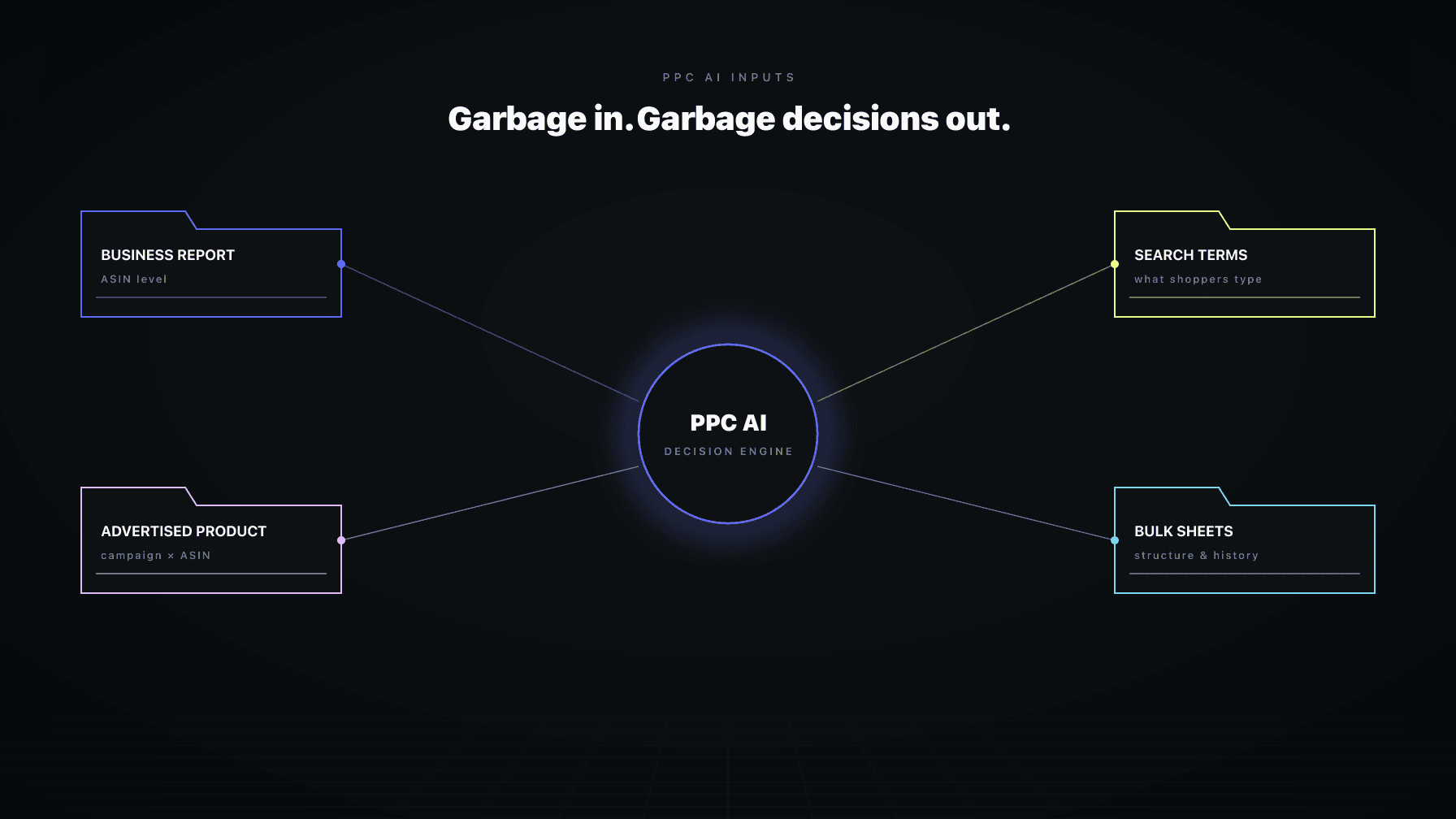
This guardrail only works if the AI has access to inventory data. PPC tools that stop at Amazon Ads cannot see your inventory. SP-API integration is what makes critical-inventory bid reduction real instead of theoretical. Full coverage in the AI inputs deep-dive.
The right rollout for guardrails is the same as the rollout for autonomy: start cautious, graduate as the system earns trust.
In the first 30 days, set every guardrail at the conservative end of the range. Watch how often the AI hits the caps. If the caps fire constantly, the AI is genuinely trying to do something the limits forbid. Investigate why. Either the AI is wrong, or your limits are too tight.
By day 60, you will know which guardrails are calibrated correctly. The ones that never fire are probably too loose to matter. The ones that fire daily are probably too tight to be useful. Most settle into a midpoint.
By day 90, the guardrail set should be stable. From there, audit quarterly. The triggers for re-calibration are: target metric change (ACoS to POAS), seasonal shifts (Q4 often warrants looser limits), portfolio expansion (new SKUs need their own settings), and after any meaningful pricing change.
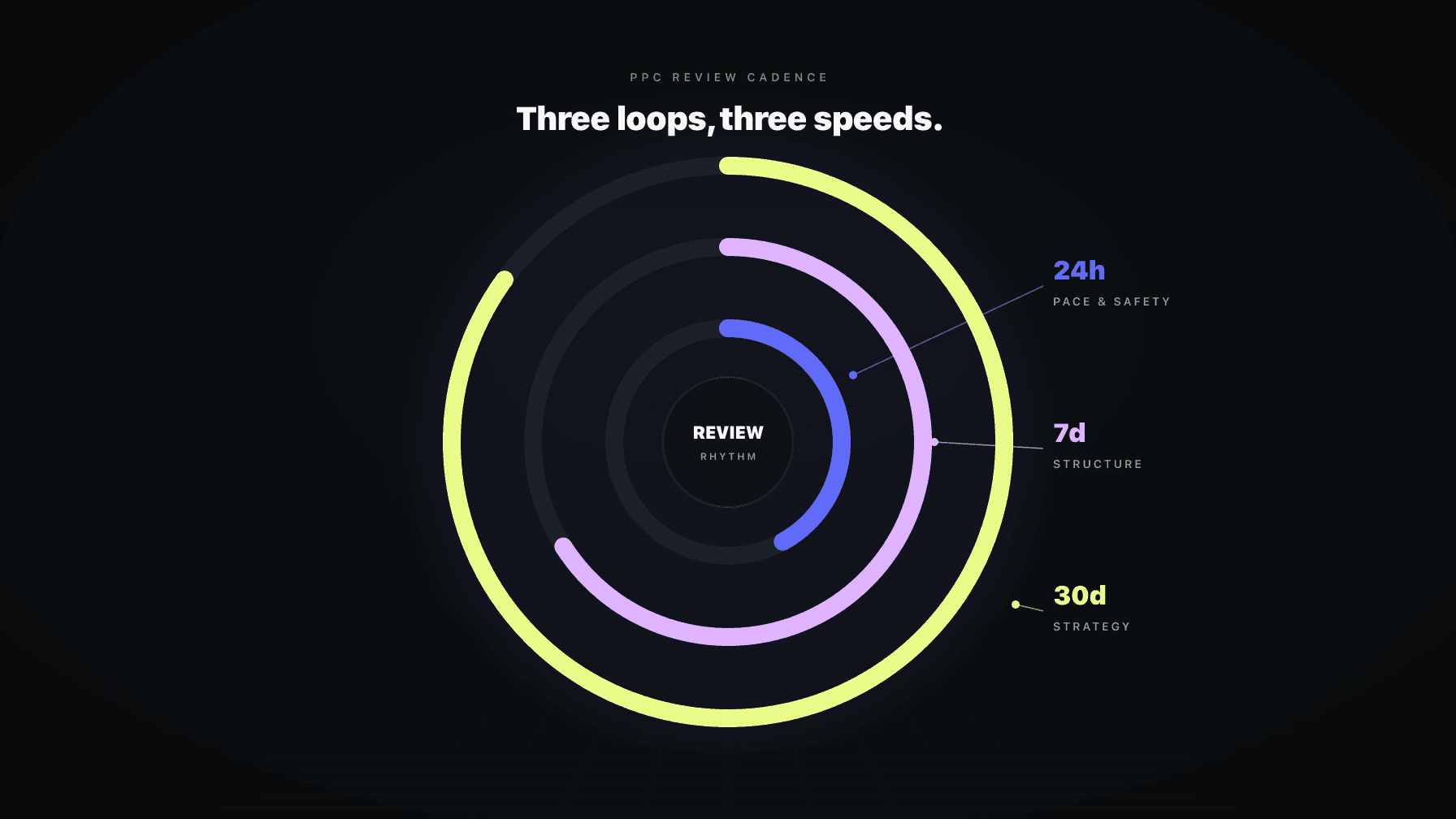
Guardrails enforce per-cycle and per-day limits, but the cadence of those cycles matters too. The PPC review cadence deep-dive covers this in depth.
Short version: daily cycles should run inside tight guardrails, weekly cycles inside slightly looser ones (because they handle structural rebalancing), and monthly cycles should be review-only or operate inside the loosest set. Strategic monthly changes that affect placement or budget structure should always be human-gated regardless of how mature the AI is.
Marko ships with the full guardrail set as a first-class configuration surface, not a hidden advanced tab. Every limit is exposed, every default is visible, and every cap fire is logged with context.
The integration that matters most: Marko's critical-inventory bid reduction is not just a number, it is a live coordination with Bruno, our inventory AI. When Bruno flags a stockout risk, Marko sees it in the same cycle and applies the bid reduction before the manual threshold would catch it. A standalone PPC tool cannot do this because it does not have access to inventory signals.
The same coordination applies to pricing. When Oracle moves a price, Marko's max bid recalibrates against the new margin. This prevents a common failure mode: prices drop, margins shrink, but max bid stays at the old level and POAS quietly collapses.
If you are running guardrails today and they feel like they need to be hand-tuned every week, the issue is usually that the PPC tool does not have full operational context. Coordination across pricing, inventory, and PPC is what makes guardrails set-and-forget instead of constant maintenance.
Amazon PPC guardrails are the speed and risk limits that govern how aggressively an AI PPC tool can move bids, shift budgets, negate keywords, and execute changes. The most important ones include maximum bid, daily bid change limit, daily budget change limit, emergency brake ACoS, daily spend ceiling, and confidence thresholds for auto-execution. Guardrails make the wrong decisions cheap rather than preventing them entirely.
For most accounts, set maximum bid at 1.5x to 2.5x your average winning bid for the category. Below 1.5x the AI cannot reach competitive placements. Above 2.5x you are giving the algorithm room for an expensive mistake. If you sell across multiple categories with very different bid economics, set max bid per ad group rather than account-wide.
An emergency brake ACoS is a circuit-breaker threshold that pauses or caps a campaign's spend when its rolling ACoS exceeds the limit. Set it at 1.5x to 2x your campaign target ACoS. If your target is 25%, an emergency brake at 40% to 50% catches genuine problems without firing on normal weekly fluctuation. Brands targeting POAS instead of ACoS should use a POAS floor as the brake.
Start at 15% per cycle for mature campaigns. Loosen to 25% to 40% only for launch campaigns inside the 90-day window or for accounts recovering from a stockout. Above 40% per cycle the AI is making structural decisions that should require human approval, not autonomous execution.
Because guardrails like emergency brake ACoS are calibrated against a specific target metric. When you switch from target ACoS to target POAS, an ACoS-based emergency brake stops being meaningful. Campaigns can hit the old ACoS threshold while POAS is healthy, or hit a healthy ACoS while POAS is dying. Audit and reset every threshold whenever your performance target changes.
Watch the cap-fire frequency for the first 60 days. Guardrails that never fire are probably too loose to matter. Guardrails that fire daily are probably too tight and getting in the way. Most settle at a midpoint where they trigger on real anomalies (one to three times per week per portfolio) rather than on noise. Recalibrate after any major change to performance target, pricing, or seasonality.
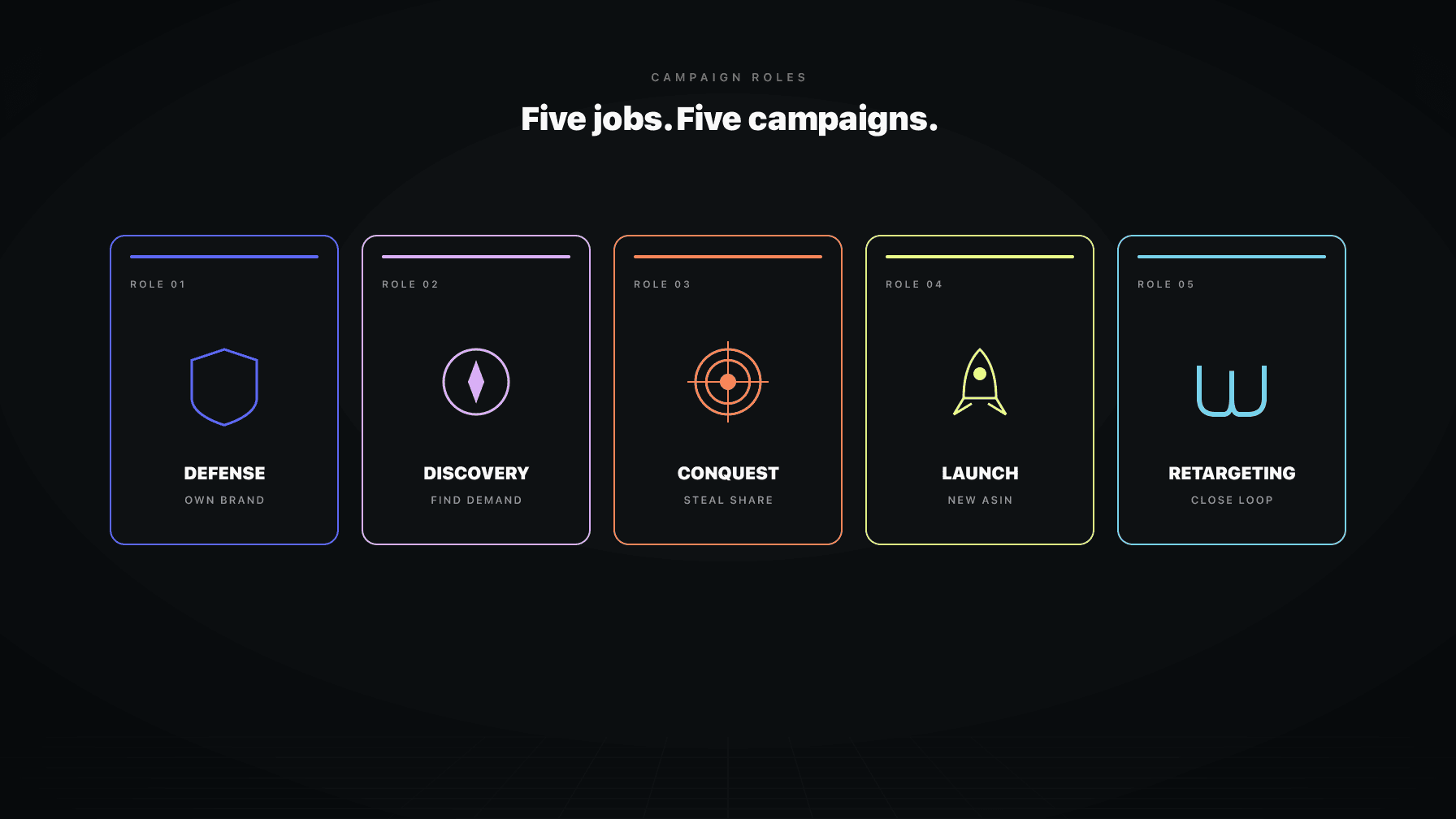
No. Hero products deserve tighter guardrails to protect ranking equity. Launch products inside the 90-day window need looser guardrails so the AI can buy ranking aggressively. Specifically, daily bid change limits and daily budget change limits should run 25% to 40% on launch campaigns and 10% to 15% on hero campaigns. Campaign role assignment is what makes per-product guardrails actually work; full coverage in the campaign roles deep-dive.