Chad Rubin
June 3, 2026 · 16 min read
Operator notes by email
Short, opinionated takes on AI agents, Amazon PPC, pricing, and inventory. No fluff. About once a week.
Most operators get the daily Amazon review wrong in one of two directions. Either they skip it entirely, find out about a suppressed hero ASIN four days later, and spend a week clawing back rank. Or they open Seller Central with coffee in hand and turn a 15-minute check into an hour of rabbit holes: pulling search term reports, second-guessing bids, rewriting a bullet point, reconciling last month's settlement. That second group thinks they are being diligent. They are doing weekly and monthly work at a daily cadence, and the account pays for it.
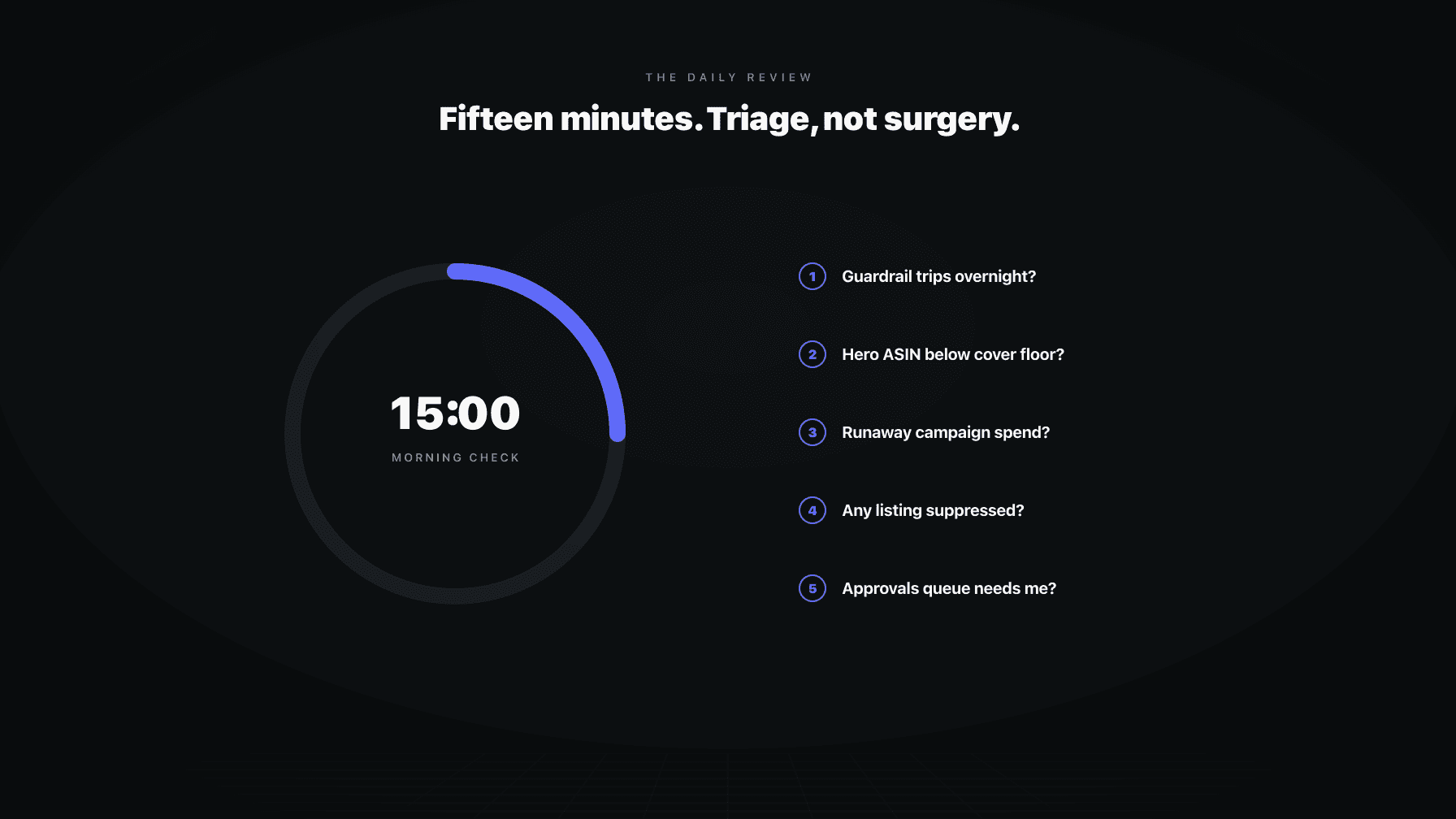
The daily loop is not strategy. It is pace and safety. Its only job is to catch the things that broke overnight and would get worse if you waited a day. A guardrail that tripped. A hero ASIN sliding toward stockout. A campaign that ran away on spend while you slept. A listing that went dark. An approval sitting in the queue blocking an agent from acting. That is it. Five things. If none of them are on fire, you close the tab and go do real work.
I ran a 7-figure Amazon brand for over a decade and now run Profasee, a coordinated AI employee platform for sellers. The single biggest waste of operator time I see is treating the daily review as a place to make decisions. It is not. It is a place to find out whether a decision is needed, and to draw a hard line between "this can wait until the weekly loop" and "this needs me right now." Get that line right and the daily review takes 15 minutes. Get it wrong and it eats your morning.
This post is the daily-cadence companion to our Amazon operations mission control framework. It covers exactly what to check every morning, what to deliberately leave alone, and why a good system surfaces these five things to you instead of making you hunt for them across six dashboards.
Triage has one question: is this getting worse if I wait? Surgery has a different question: how do I fix this properly? Those are separate jobs, and the mistake most sellers make is trying to answer the second question during a window meant for the first.
From reading to action
If the framework above sounds familiar, your Amazon account is probably carrying the same drag. Apply and we will show what Marko, Oracle, and Bruno would change in your first week.

Ran a 7-figure Amazon brand for a decade. Founded Skubana (acquired). Co-founded Prosper Show. 15+ years on Amazon.
Join the brands that replaced agencies and tools with AI employees.
When you open Seller Central in the morning, your brain wants to fix things. You see an ACoS that crept up two points and you reach for the bid. You see a bullet point that reads awkwardly and you start rewriting it. You see last week's units dipped and you start building a theory about why. None of that is daily work. The bid change is a noise reaction. The bullet rewrite is a listing project. The unit theory is a weekly analysis. Doing them now means doing them on incomplete information, with no plan, in a five-minute panic, and probably undoing them tomorrow.
The daily review exists because some failures compound by the hour. A suppressed listing loses rank every day it stays down. A stockout that you catch on day one is a reorder; a stockout you catch on day four is a lost month of velocity. A campaign that doubled its budget overnight burns real money before lunch. These are the only things that justify a daily look, because waiting genuinely makes them worse.
Everything else can wait until the weekly loop, where you have context, time, and the right data window to act well. The daily loop's discipline is restraint. You are looking for fires, not for things to optimize. If you find a fire, you put it out or you escalate it. If you do not, you leave the account alone. The accounts that get healthier are the ones whose operators resist the urge to touch something every single morning.
Start here, because a tripped guardrail is the closest thing to a smoke alarm you have. If you run pricing, PPC, and inventory with proper guardrails (a price floor, a max daily spend, a minimum margin, a days-of-cover threshold), then the system already knows what "out of bounds" looks like. The daily question is simple: did anything cross a line while I was asleep?
A tripped guardrail means one of two things. Either a guardrail caught something and held the line correctly (a repricing rule hit its floor and stopped, an ad budget capped before it overspent), in which case you note it and move on. Or a guardrail tripped because the underlying situation changed in a way the rule could not handle, and now something is stuck. A floor that keeps getting hit every day is telling you the floor is wrong, or demand shifted, or a competitor moved. That is not a daily fix. That is a flag for the weekly review.
What you are doing in this check is reading the guardrail log, not adjusting the guardrails. Adjusting a guardrail is a deliberate decision with downstream effects, and you should never make it reactively at 8am. If a guardrail tripped, you ask: did it protect me, or did it block me? Protected means done. Blocked means you note it for the weekly loop, unless it is blocking something time-sensitive, in which case it becomes a real fire (more on that later).
Your hero ASINs are the handful of products that drive most of your revenue. They are also the products where a stockout costs the most, because they have the most rank to lose and the longest road back. The daily check on inventory is narrow on purpose: you are not auditing the whole catalog, you are looking at whether any hero ASIN has dropped below its days-of-cover floor.
Days of cover is just current sellable units divided by daily velocity. If a hero ASIN sells 40 units a day and you have 320 units, you have 8 days of cover. If your reorder lead time plus safety buffer is 21 days, then 8 days of cover is already a problem you needed to act on a week ago. The point of the daily check is to catch the crossing on the day it happens, not after it has compounded.
Why daily and not weekly? Because velocity is not constant, and a single promotional spike, a competitor stockout that sends demand your way, or a seasonal lift can chew through cover faster than your last forecast assumed. A weekly inventory review catches the slow drift. The daily check catches the fast drain. You are looking for the ASIN that was fine on Monday and is suddenly running hot on Wednesday.
If a hero ASIN is below its floor, the daily action is not to rebuild your forecast. It is to confirm a reorder is already moving or to trigger one, and then hand the question of "why did cover drop faster than expected" to the weekly loop. The reorder is the fire. The analysis is later. Conflating the two is how the morning check turns into an hour of forecasting work that should never happen before coffee.
Ad spend is the line item that can do the most damage in the fewest hours. A campaign that doubles its budget overnight, a new keyword that suddenly catches volume, a bid that an automated rule pushed too high, all of these can burn through real money before you are even awake. The daily check is: did any campaign spend materially more than its normal pace in the last 24 hours, and is it still spending?
Notice the framing. You are not reviewing ACoS across the portfolio. You are not deciding whether a campaign is profitable. You are looking for runaway spend, which is a velocity problem, not a performance problem. A campaign can have a perfectly healthy ACoS and still be a fire if it tripled its daily spend because of a budget error or a rule that misfired. And a campaign with a high ACoS on a normal budget is not a daily fire at all; it is a weekly conversation.
This is the one place the daily PPC check overlaps with the broader Amazon PPC review cadence. The rule there holds here: daily should not move budgets between campaigns, rewrite placements, or restructure anything. Daily PPC work is pace and safety only. The only daily PPC action is stopping a spend that is actively running away. If a campaign is bleeding, you cap it or pause it to stop the bleed, and you leave the question of why and what to do about it for the weekly review.
The trap is that ad dashboards make every metric look like a decision moment. ACoS up two points feels urgent at 8am. It is not. The only urgent ad question in the morning is whether money is leaving faster than it should. Answer that, and close the tab.
A suppressed listing is invisible to shoppers. No Buy Box, no search presence, no sales, and the rank you built keeps eroding every hour it stays down. Suppressions happen for boring reasons (an image that failed a policy check, a missing attribute, a flat-file edit that broke something, a category requirement that changed) and they almost never announce themselves. You find out because sales went quiet, and by then you have already lost ground.
That is why suppression detection is a daily check and not a weekly one. The cost of a suppressed hero listing is measured in days of lost rank, and rank is the most expensive thing on Amazon to rebuild. Catching a suppression on the morning it happens means you fix the attribute, reopen a case, or correct the image and the listing is back before lunch. Catching it four days later means a recovery project.
The daily action here is genuinely a fix, not a flag, because a suppression is one of the rare daily issues where the fix is fast and the cost of waiting is high. If the suppression is a simple attribute or image problem, you correct it now. If it is a policy or compliance issue that needs a case opened, you open the case now so the clock starts. You do not, however, redesign the listing, rewrite the copy, or rethink the image stack. That is listing optimization work, and it belongs nowhere near the daily loop. Fix the suppression, restore the listing, move on.
If you run agents or automated rules with approval gates, then some decisions are sitting and waiting for you to say yes or no. A repricing move outside the normal band. A bid change above a threshold. A reorder that exceeds a spend limit. These are the close calls your system was told to escalate rather than execute on its own. The daily check is to clear that queue so nothing is stuck waiting on you.
This is the check that most directly protects velocity, because an unanswered approval is a decision that is not happening. If your demand planner agent flagged a reorder for approval three days ago and you have not looked, that is three days of lead time you will never get back. If your PPC manager agent wants to shift budget toward a campaign that is clearly working but the move needs your sign-off, every day you delay is a day of upside you skipped. The queue is where automation waits on you, and a stale queue is a self-inflicted bottleneck.
The discipline here is to actually decide. Approve the obvious ones, reject the wrong ones, and for anything you genuinely cannot decide in the moment, note it as a real question for the weekly review and tell the agent so. What you must not do is leave items sitting indefinitely because you are not sure. An undecided approval is worse than a wrong one, because at least a wrong one moves and shows you a result. The queue should be empty or close to it when you finish the daily check.
Naming the daily five is only half the discipline. The other half is naming everything that does not belong, because that is where the morning check gets bloated. None of the following is daily work, no matter how tempting it looks at 8am.
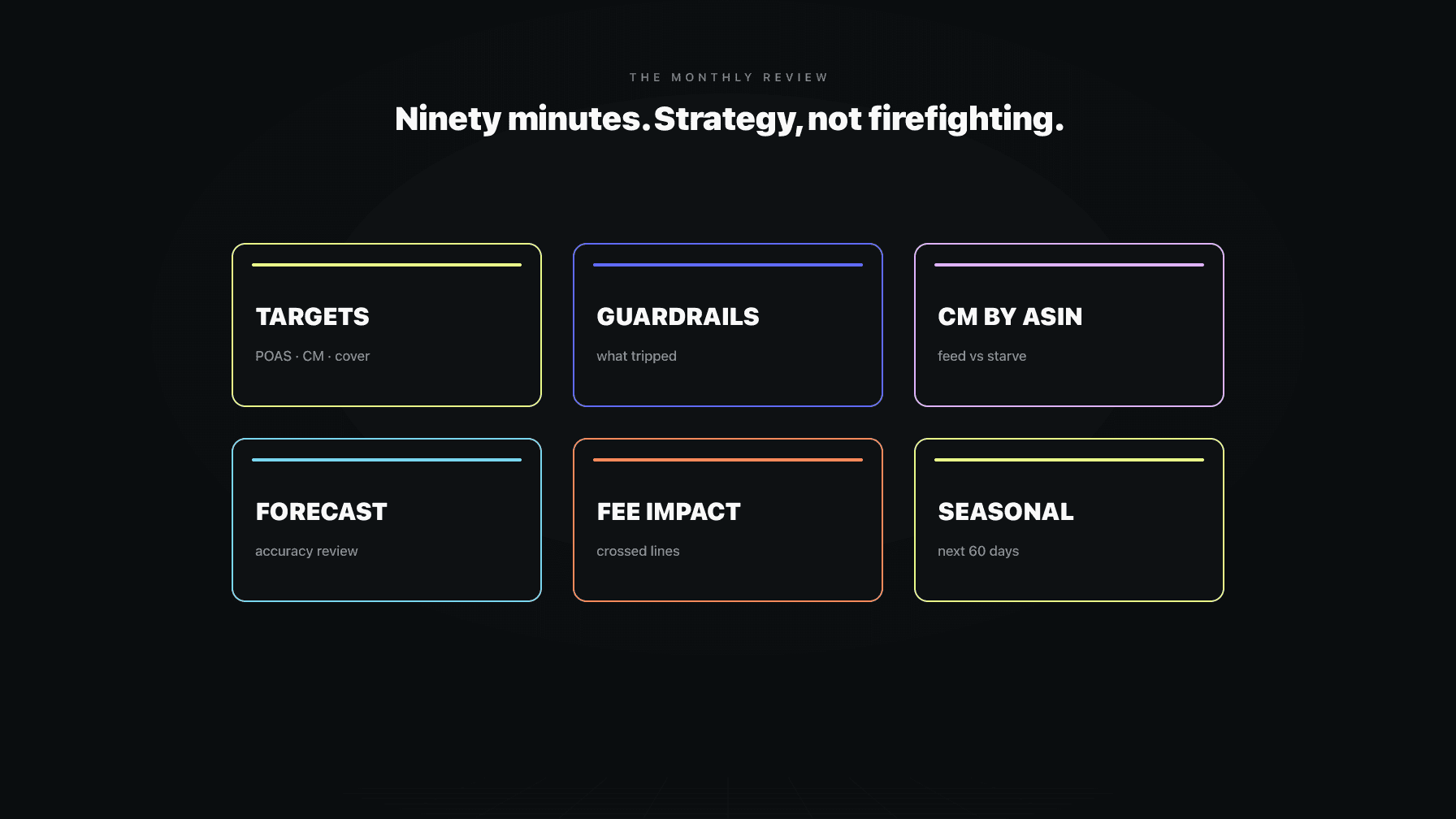
Bid optimization across the portfolio is weekly work. You need a full week of data to separate signal from noise, and reacting to a single day's ACoS just teaches your account to whipsaw. Listing copy and image projects are weekly or monthly work; they need testing, not a reflexive rewrite. Forecast rebuilds belong to the weekly inventory loop, where you have time to look at trend rather than a single day's velocity spike. Settlement reconciliation, profitability analysis, and P&L work are monthly, full stop. Competitor research, keyword expansion, and structural campaign changes are all weekly at the fastest.
The reason these get pulled into the daily loop is that they all surface during the daily check. You notice the awkward bullet while looking for suppressions. You see the ACoS creep while looking for runaway spend. The signal is real; the timing is wrong. The right move is to note it for the appropriate cadence and keep going. A simple running list (or better, an agent that logs these for the weekly review) means you never lose the observation and you never act on it prematurely. The daily loop sees a lot. It acts on almost none of it.
Here is the part most operators get backwards. They think the daily review means logging into Seller Central, opening the inventory dashboard, then the ad console, then the listing health page, then the case log, and assembling the picture themselves. That is not a 15-minute job. That is a 45-minute scavenger hunt across systems that were never designed to talk to each other, and you will miss things because the signal is buried in noise on every screen.
The daily five are all exceptions. A guardrail either tripped or it did not. An ASIN is either below floor or it is not. Spend either ran away or it did not. A listing is either suppressed or it is not. An approval is either waiting or it is not. Exceptions are exactly what a system should surface to you, because the system already knows the thresholds. It knows your days-of-cover floor, your spend caps, your guardrail bands, your approval rules. It can check all of them in the time it takes you to pour coffee and hand you the short list of things that are actually out of bounds.
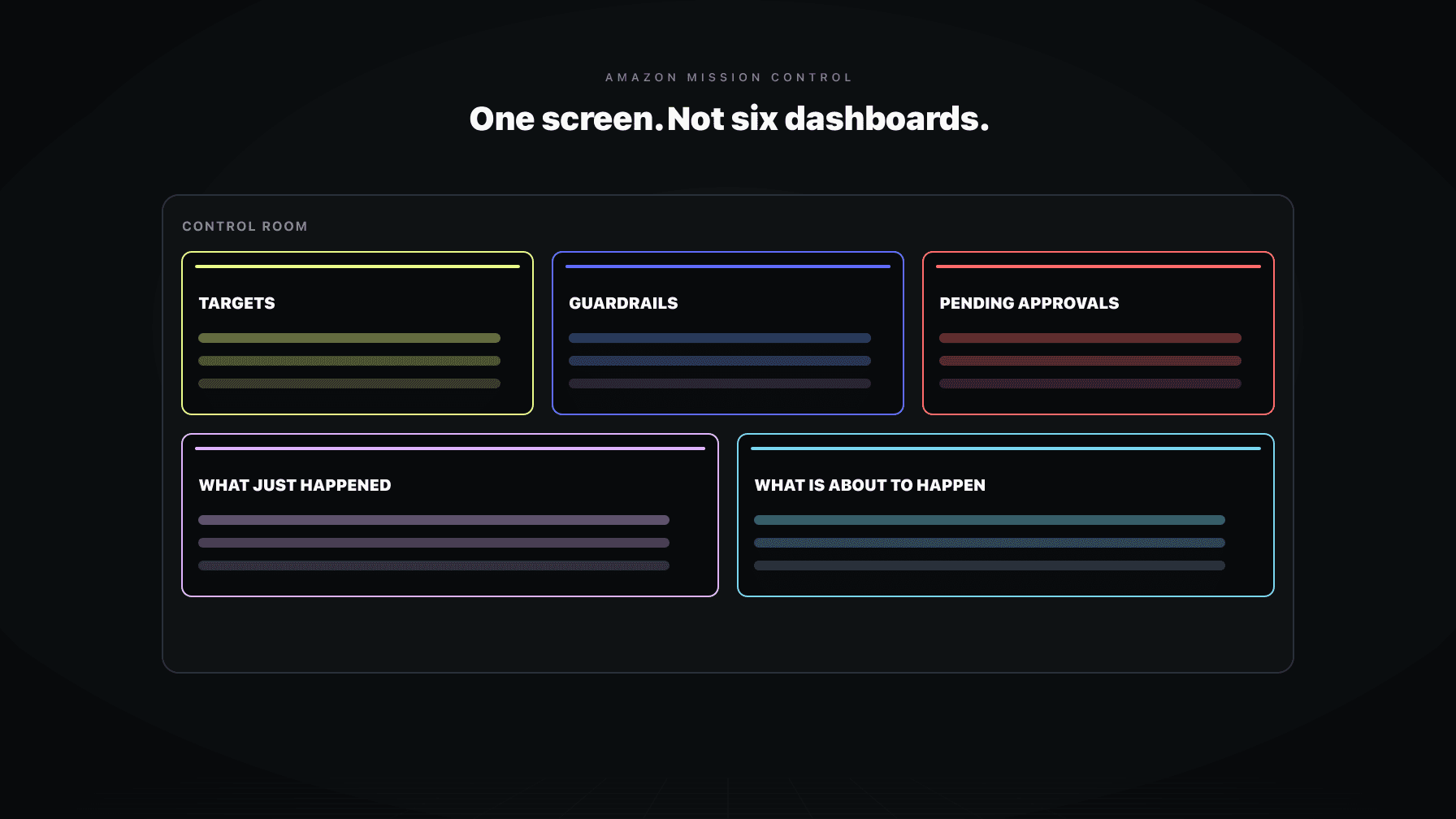
That is the difference between a dashboard and mission control. A dashboard shows you everything and makes you find the problem. Mission control shows you only what crossed a line and lets you read it in one place. Your PPC manager agent flags the runaway campaign. Your demand planner agent flags the hero ASIN below cover. The guardrail system flags the trips. The approvals queue collects the close calls. You read five short items, you decide, you leave. The daily review becomes reading, not searching, and that is the only way it fits in 15 minutes.
The 15-minute cap is not arbitrary, and it is not about saving time for its own sake. It is a guardrail on your own behavior. If the daily review fits in 15 minutes, you are almost certainly doing it right: reading exceptions, deciding, escalating the rare fire. If it routinely takes 45 minutes, you are doing weekly work, and the account is paying for it in over-reaction.
The rule protects you from two failure modes at once. The first is over-reaction. A long daily session gives you time to find things to fiddle with, and fiddling daily is how accounts churn. You cut a bid on Tuesday's noise, raise it on Wednesday's recovery, and confuse your own algorithm. The 15-minute cap forces you to ask "is this a fire?" rather than "is this perfect?" and only fires justify daily action.
The second failure mode is busywork dressed as diligence. Spending an hour every morning in Seller Central feels productive. It is not. It is the operator equivalent of refreshing your email. The work that actually moves the business (the portfolio rebalancing, the forecast rebuild, the listing tests, the strategic pricing decisions) happens in the weekly and monthly loops, where you have the time and context to do it well. Every minute you overspend on the daily check is a minute stolen from work that compounds. The 15-minute rule keeps the daily loop in its lane so the rest of your day is yours.
Most mornings, none of the five are on fire and you close the tab in ten minutes. But the daily review exists precisely for the morning when something is genuinely wrong, and you need a clear rule for that case, because a fire is the one time daily work expands legitimately.
The rule is: stop the bleed, then schedule the fix. If a hero ASIN is below cover, trigger or confirm the reorder now (stop the bleed), and put the forecasting question in the weekly loop (schedule the fix). If a campaign ran away, cap or pause it now, and put the restructuring in the weekly review. If a listing is suppressed, correct the attribute or open the case now, and put any listing redesign on the appropriate cadence. The daily action is always the minimum move that stops the situation from getting worse. It is never the full solution.
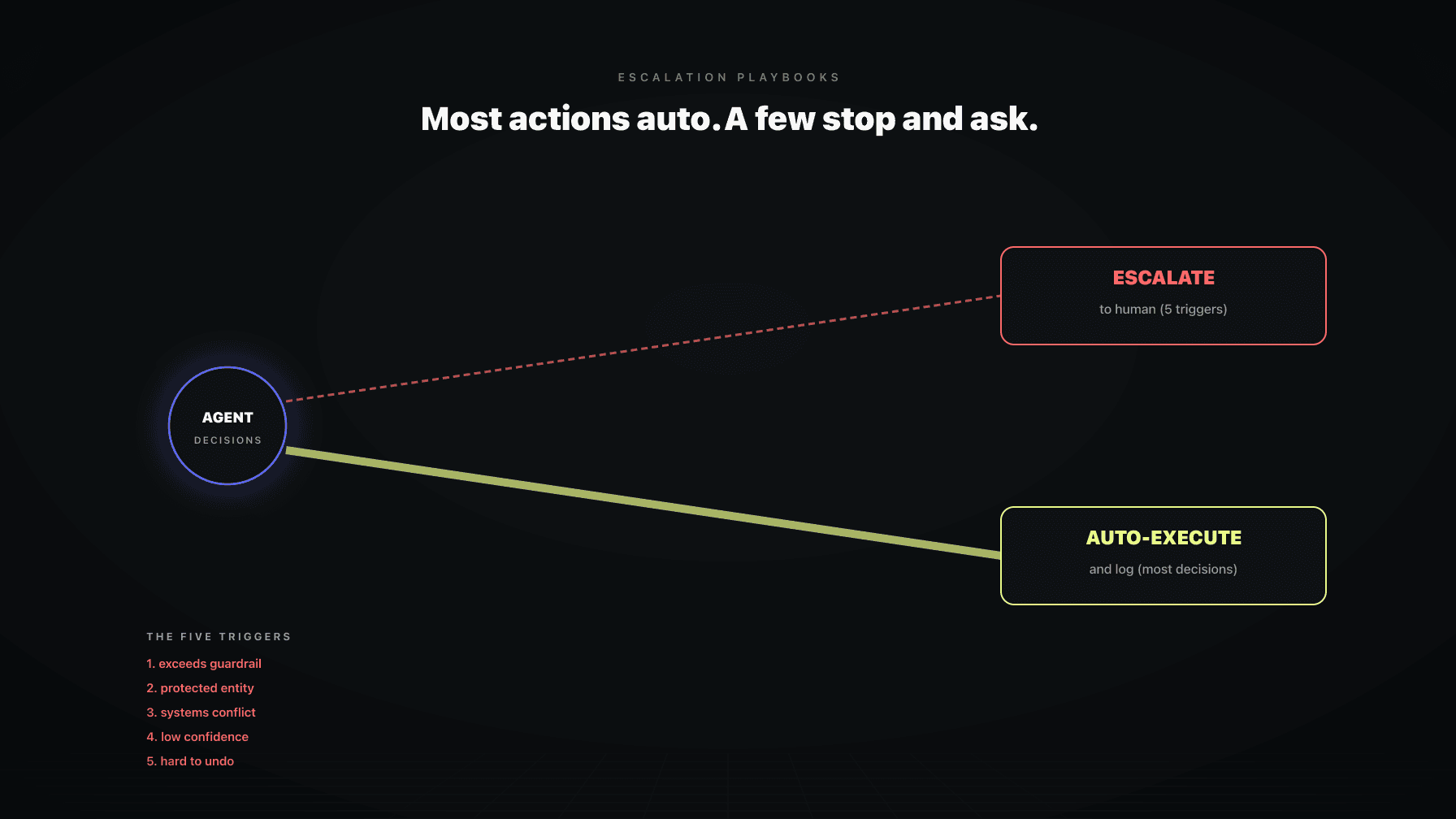
This is also where escalation playbooks earn their keep. A good system does not just flag the fire; it knows what the first response should be and can either execute it within your guardrails or hand you a one-click decision. That is the difference between waking up to a problem and waking up to a problem with a recommended action already staged. Our AI escalation playbooks cover how to structure those responses so the rare fire gets handled fast and the routine stays routine.
The discipline holds even in a fire: stop the bleed, do not start surgery. The moment you start solving the root cause at 8am with no plan and no data window, you are back to doing weekly work badly. Contain it, schedule the real fix, and move on with your day.
Profasee is built so the daily review is reading, not hunting. Each agent watches its own domain against the guardrails you set, and surfaces only the exceptions to one place. The PPC manager watches for runaway spend and capped budgets. The demand planner watches hero ASINs against their days-of-cover floors and stages reorders for approval before cover gets thin. The pricing engine holds the floors and ceilings and logs every guardrail it hits. Suppressions and listing health get flagged the morning they happen, not the week you notice sales went quiet.
All of it lands in one place, with the close calls collected in an approvals queue. You read the short list, approve the obvious moves, reject the wrong ones, and escalate the rare fire. The agents handle the routine inside the guardrails you defined, so the things that do not cross a line never reach your morning at all. That is the whole point: watch every task, approve the close calls, ship the rest, and keep the daily review to the five things that actually matter.
If your daily check still means logging into four systems and assembling the picture yourself, that is the problem worth fixing. See how the coordinated agents work on the Amazon PPC software page, check pricing to see what a full team of agents costs against one hire, or apply to see whether your account is a fit.
Five things, and only five. Did any guardrail trip overnight, is any hero ASIN below its days-of-cover floor, did spend run away on a campaign, did any listing get suppressed, and what is in the approvals queue. These are the issues that compound by the hour, so catching them on the day they happen actually matters. Everything else (bid optimization, listing copy, forecast rebuilds, profitability analysis) belongs to the weekly or monthly loop where you have the context to act well.
About 15 minutes. The daily review is triage, not surgery, so most of it is reading exceptions and confirming nothing is on fire. If yours routinely takes 45 minutes or more, you are almost certainly doing weekly or monthly work at a daily cadence, which leads to over-reacting to noise and churning your own account. The 15-minute cap is a guardrail on your behavior as much as a time target.
Do not optimize bids across the portfolio, do not rewrite listing copy or images, do not rebuild forecasts, and do not reconcile settlements or run profitability analysis. All of that needs a full data window and a plan, neither of which you have at 8am. You will notice these things during the daily check, which is fine. Note them for the right cadence and keep moving. Acting on them daily is how accounts whipsaw.
A good system logs it and surfaces it to you, so you read the guardrail log rather than hunt for the symptom. A tripped guardrail means either a rule held the line correctly (a price floor stopped, a budget capped) or the underlying situation changed enough that the rule is now stuck. The daily job is to read which one it is. If the guardrail protected you, you are done. If it is blocking something, you flag it for the weekly review unless it is time-sensitive.
Yes, but only for one thing: runaway spend. Ad spend can do the most damage in the fewest hours, so the daily PPC question is whether any campaign is spending materially faster than its normal pace and still running. That is a velocity problem, not a performance problem. A high ACoS on a normal budget is a weekly conversation, not a daily fire. Daily PPC work is pace and safety only; never move budgets or restructure campaigns in the morning check.
Daily is triage: catch what broke overnight and would get worse if you waited. Weekly is portfolio control: rebalance bids, rebuild forecasts, run listing tests, and act on the things you flagged during the week. Daily is not a faster weekly, and weekly is not a faster monthly. They are different jobs with different time horizons. The daily loop sees a lot and acts on almost none of it; the weekly loop is where the real optimization work happens with proper data.
Most of it, yes. The daily five are all exceptions checked against thresholds your system already knows: guardrail bands, days-of-cover floors, spend caps, suppression status, and approval rules. A coordinated agent setup can check all of them and surface only what crossed a line, so your daily review becomes reading a short list instead of hunting across dashboards. What you keep is the decision: approving the close calls and escalating the rare real fire. The hunting is what gets automated.