Chad Rubin
June 7, 2026 · 13 min read
Operator notes by email
Short, opinionated takes on AI agents, Amazon PPC, pricing, and inventory. No fluff. About once a week.
Count the tabs you have open right now. A repricer in one. A PPC console in another. Helium 10 or Jungle Scout for keywords. A spreadsheet for inventory. Seller Central itself, with three of its own sub-dashboards. Maybe a profit tool stitching it all together after the fact. Six surfaces, six logins, six places to look, and not one of them tells you what to do next.
That stack is the reason most brands cannot run a real operating cadence. You decide you will do a daily review, a weekly review, and a monthly review. You mean it. Then Monday comes, you open six tabs, spend forty minutes reconciling numbers that disagree with each other, and the review turns into a status check instead of a set of decisions. The cadence dies not because operators are lazy. It dies because the work is spread across tools that were never built to talk to each other.
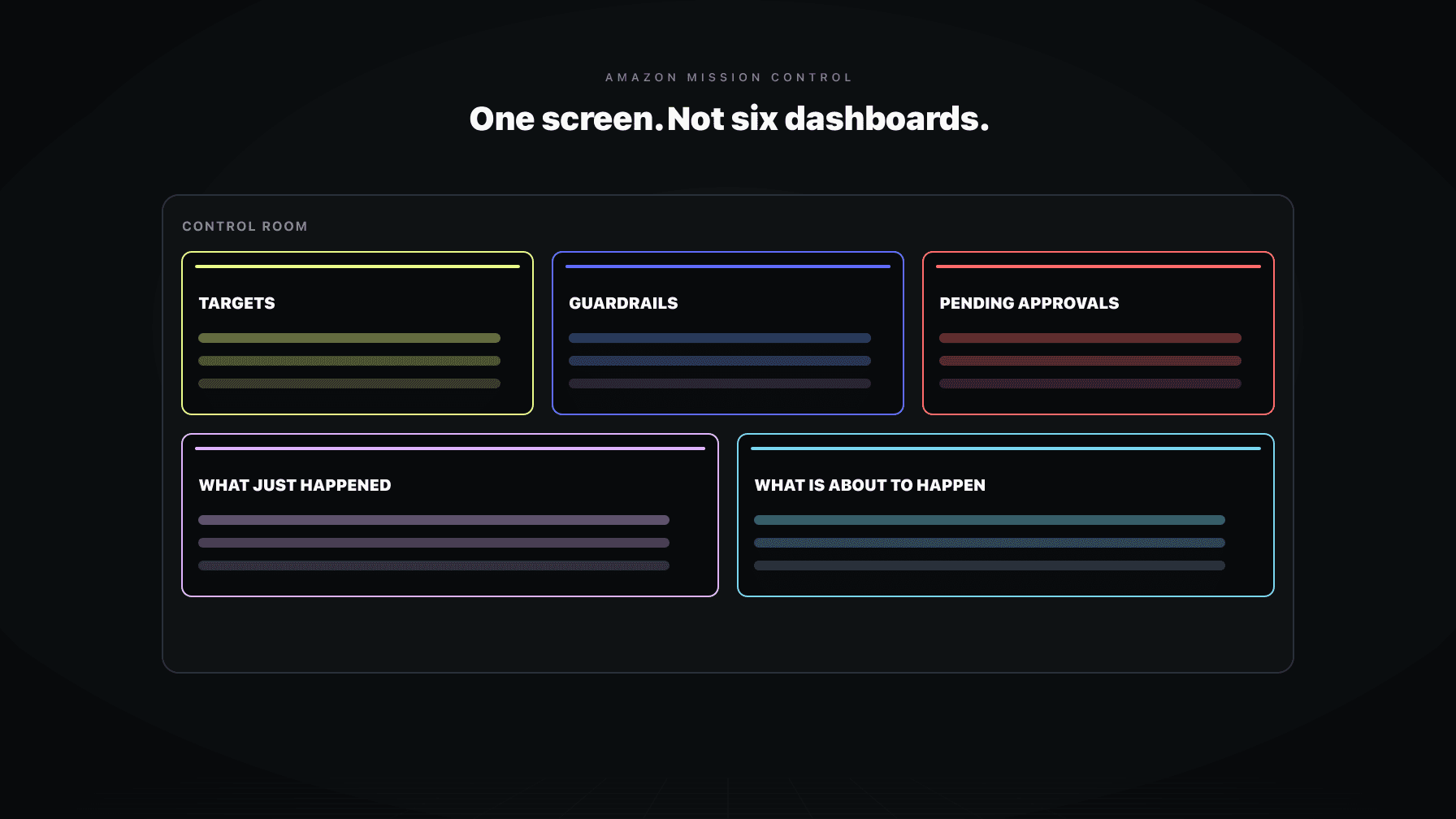
Mission Control is the fix. It is the single operator surface where the cadence actually happens. One screen that holds your targets, your guardrails, the decisions waiting on you, what your agents already did, and what they are about to do. Not a prettier dashboard on top of the same chaos. A control room you sit in to run the account.
The distinction matters more than it sounds. A dashboard shows you the past and asks you to figure out the future on your own. A control room shows you the present and lets you act inside it. This post is about why six dashboards will never be operations, what the five panels of a real operator surface look like, and why the surface has to be writable.
Amazon brands do not have a tooling problem. They have a coordination problem. Every tool in the stack is locally competent. The repricer reprices well. The PPC console reports spend accurately. The keyword tool finds keywords. None of that is the issue. The issue is that no single one of them sees the whole account, and you, the operator, are the only thing connecting them.
From reading to action
If the framework above sounds familiar, your Amazon account is probably carrying the same drag. Apply and we will show what Marko, Oracle, and Bruno would change in your first week.

Ran a 7-figure Amazon brand for a decade. Founded Skubana (acquired). Co-founded Prosper Show. 15+ years on Amazon.
Join the brands that replaced agencies and tools with AI employees.
So you become the integration layer. You read margin out of one tool, spend out of another, sell-through out of a spreadsheet, and you do the math in your head to figure out whether yesterday was good. By the time you finish reconciling, the morning is gone and you have not made a single decision. You have only confirmed that the numbers exist.
Worse, the tools disagree. The repricer thinks a price change was a win because units moved. The profit tool, which knows the landed cost, thinks it was a loss. Both are reporting honestly from inside their own boundary, and neither knows the other exists. You discover the conflict, if you discover it at all, days later when the margin report comes in.
That is the core failure. Reporting tells you what happened in each silo. Operations requires deciding what happens next across all of them at once. Six dashboards give you the first and never the second. Stacking more tools on top just adds another tab to reconcile.
A dashboard is a window. You look through it at numbers that have already settled. It is honest about the past and silent about the present. The most a dashboard does is alert you, and an alert is just a louder way of telling you something already went wrong.
A control room is a cockpit. The pilot does not stare at six instruments and then run to a separate room to adjust the throttle. The instruments and the controls are in the same place, in the same moment. Reading and acting are one motion. That is the difference, and it is not cosmetic.
In an Amazon context, the dashboard version looks like this: you notice ACOS climbed on a campaign, open the PPC console, find the offending keyword, adjust the bid, switch to the repricer to check whether the price still supports that spend, then switch to inventory to confirm you are not pushing units you cannot replace. Five surfaces for one decision.
The control room version: the surface already knows ACOS climbed, already knows the price and the cost behind it, already knows the inventory position, and already has a recommended action waiting for your yes. You decide in one place, in seconds. This is possible because a control room runs on shared state. Every part of the system reads from and writes to the same source of truth, so the picture never contradicts itself. There is no reconciling to do because there was never anything to reconcile.
The first panel is what you are trying to achieve, stated as numbers. Target margin. Target ACOS or TACOS. Target inventory weeks of cover. Target growth rate per category. These are not aspirations on a whiteboard. They are the objective function your agents optimize toward, and they live on the surface where you can see and change them.
This matters because an agent without a target is just an automation. It does the same thing every time, regardless of what the business needs this quarter. With a target, the agent has direction. Push the margin target up two points and the pricing logic and the bidding logic both shift to serve it, because they read the same goal from the same place.
Targets on the surface also force honesty. If your target margin is 30 percent and the surface shows you running at 22, the gap is right there, in the same view as the levers that close it. You cannot quietly drift away from a goal you see every day.
The second panel is the set of rules nothing is allowed to cross. Price floors tied to landed cost. Maximum bid per keyword. Minimum inventory thresholds before a price drop is permitted. Maximum daily spend per campaign. These are the boundaries that keep autonomy from becoming a liability.
This is where most DIY automation falls apart. An agent doubles a bid because it misread a column. It drops a price below floor because the cost of goods lives in a sheet it never read. Nobody catches it until inventory sells through at a loss. The action was fast and the oversight was missing. Guardrails close that gap by making certain outcomes structurally impossible, not just discouraged.
The point of putting guardrails on the surface is that you own them, in plain view, without filing a support ticket or editing a config file you do not understand. You set the floor. You set the ceiling. The agents operate freely inside that box and stop cold at its edges. The guardrails are exactly what let you grant more autonomy without losing sleep, because the worst case is bounded by rules you wrote.
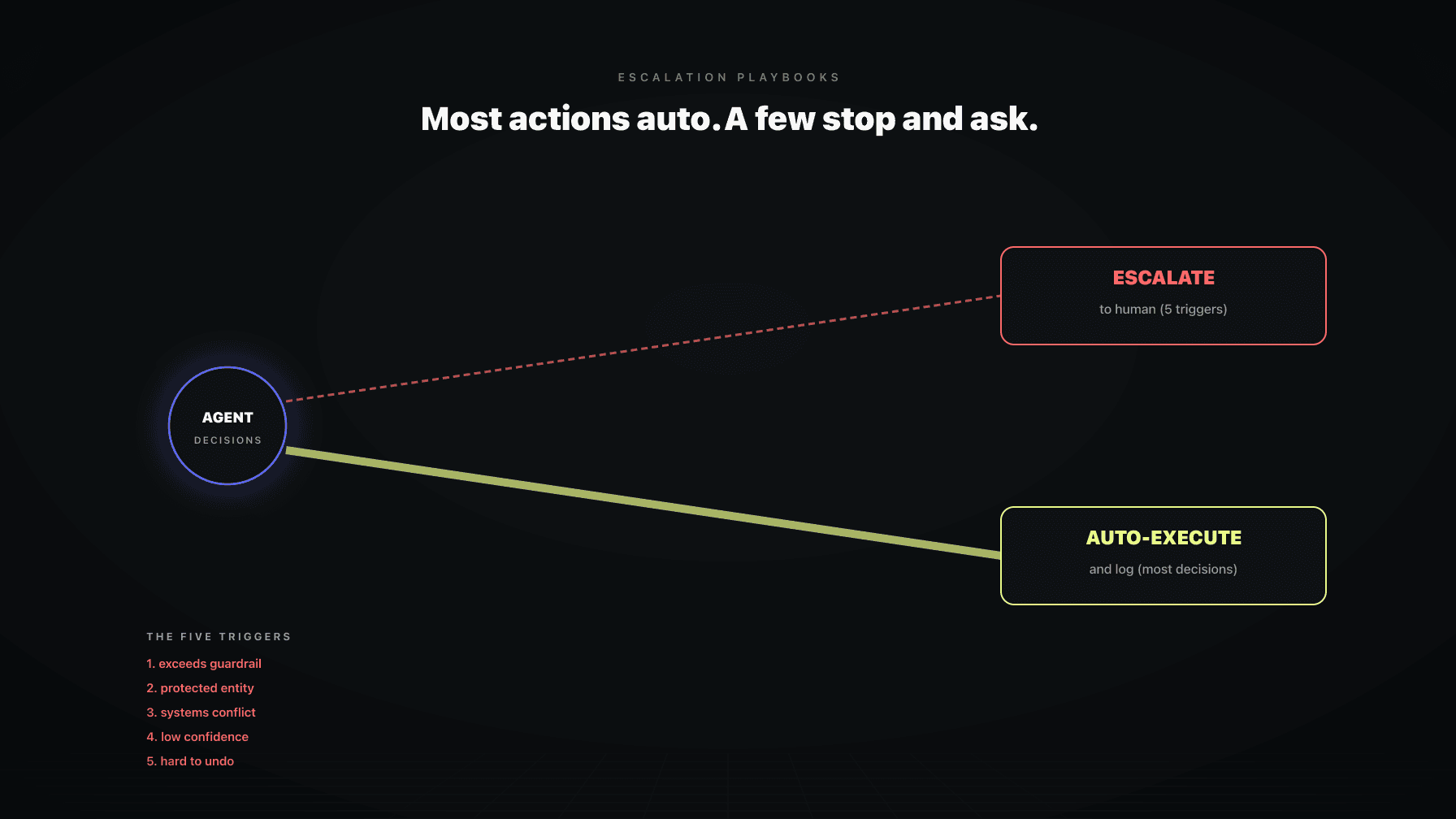
The third panel is the queue of decisions waiting on a human. Not everything should be automatic. A price move that is large, a bid change on a hero product, a reorder that ties up real cash, an action the system is not yet confident about: these get held and surfaced for your yes or no.
This is the heart of the trust ladder. Early on, an agent observes and recommends, and almost everything lands in this queue. As it earns trust against your guardrails and targets, more moves clear automatically and the queue shrinks to the consequential calls. You decide where each agent sits on that ladder, and you move it back down the moment something feels off.
The queue is also what makes review fast. Instead of hunting through six tools for things that might need attention, you open one panel and see exactly what is asking for a decision, with the context attached. Five approvals in five minutes, each with the numbers behind it, beats forty minutes of reconciling and zero decisions made. For the rules behind what escalates and what clears, see our work on escalation playbooks.
The fourth panel is the record of every action the system took, in order, with the reason attached. Marko raised a bid here at this time because the keyword was converting under target ACOS. Oracle held a price there because inventory cover dropped below the threshold. Bruno flagged a listing change. Each entry says what, when, and why.
The why is what separates this from a log file. A log says a price changed. An audit timeline says the price changed because the demand signal moved and the move stayed inside the floor. When something goes wrong, you do not interrogate an agent that will make up an answer. The reasoning was written down when the action happened, in language tied to your targets and guardrails.
This panel is also how trust gets built honestly. You do not take it on faith that automation is helping. You scroll the timeline, evaluate the decisions against outcomes, and decide whether to grant more autonomy or pull it back. The audit trail turns the trust ladder into something you can verify with your own eyes. It is also what makes the weekly and monthly reviews possible, because the record of what happened is already assembled instead of scattered.
The fifth panel is the only one that points forward. It shows scheduled automations that will fire, thresholds you are approaching, and decisions that are about to come due. A reprice scheduled for tonight. Inventory cover that will cross the reorder line in four days. A campaign whose daily budget is on pace to cap before noon.
No other tool in the standard stack does this. Dashboards report the past. Alerts fire after a line is crossed. This panel shows the line before you reach it, while there is still time to act. That is the difference between operating and reacting. You see the stockout coming and you reorder, instead of seeing the stockout in last week's report and explaining it to your boss.
For an operator running a cadence, this panel is the agenda. The daily review starts here: what is about to happen today, and do I agree with it. A surface that only looks backward leaves you driving by the rearview mirror. This panel is the windshield.
Here is the test that separates a control room from a dashboard. Can you act inside it without leaving it? If you see a target you want to change, can you change it right there? If a guardrail is too tight, can you loosen it on the spot? If an approval is waiting, can you grant it in the same view? If the answer is no, you are looking at a viewer, and a viewer is just a dashboard with better graphics.
Read-only surfaces force a context switch for every decision. You see the problem on the surface, then you leave to go fix it somewhere else, then you come back to confirm. Every switch is friction, and friction is what kills the cadence. The whole value of a control room is that reading and acting collapse into one motion. Strip out the acting and you have rebuilt the six-dashboard problem with a nicer skin.
Writable also means the surface respects your authority. You are the operator. Targets, guardrails, and the autonomy level of each agent are yours to set and change. A control room that hides those controls behind support tickets has taken the helm away from you. The point of the surface is to put the helm back in your hands.
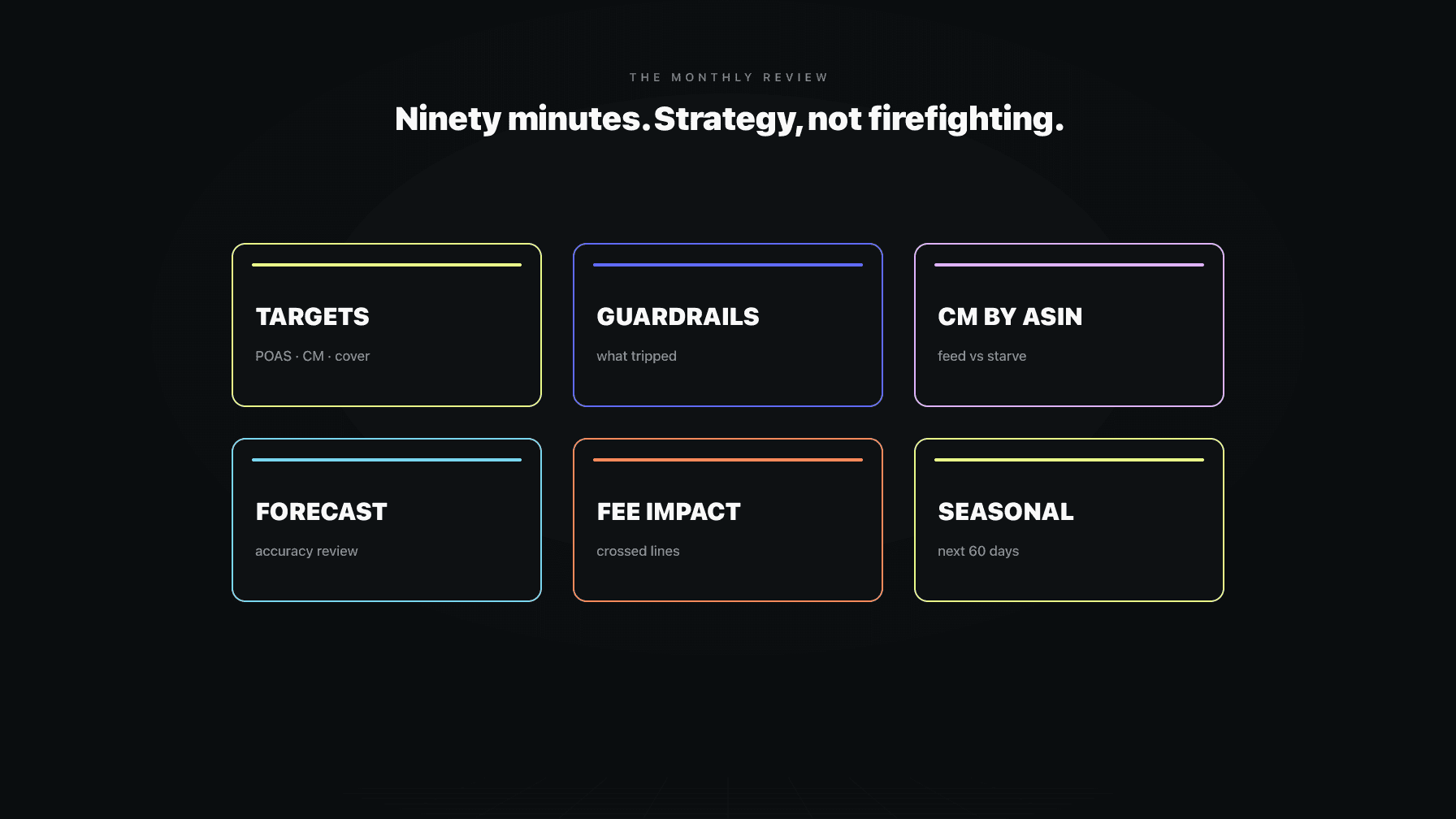
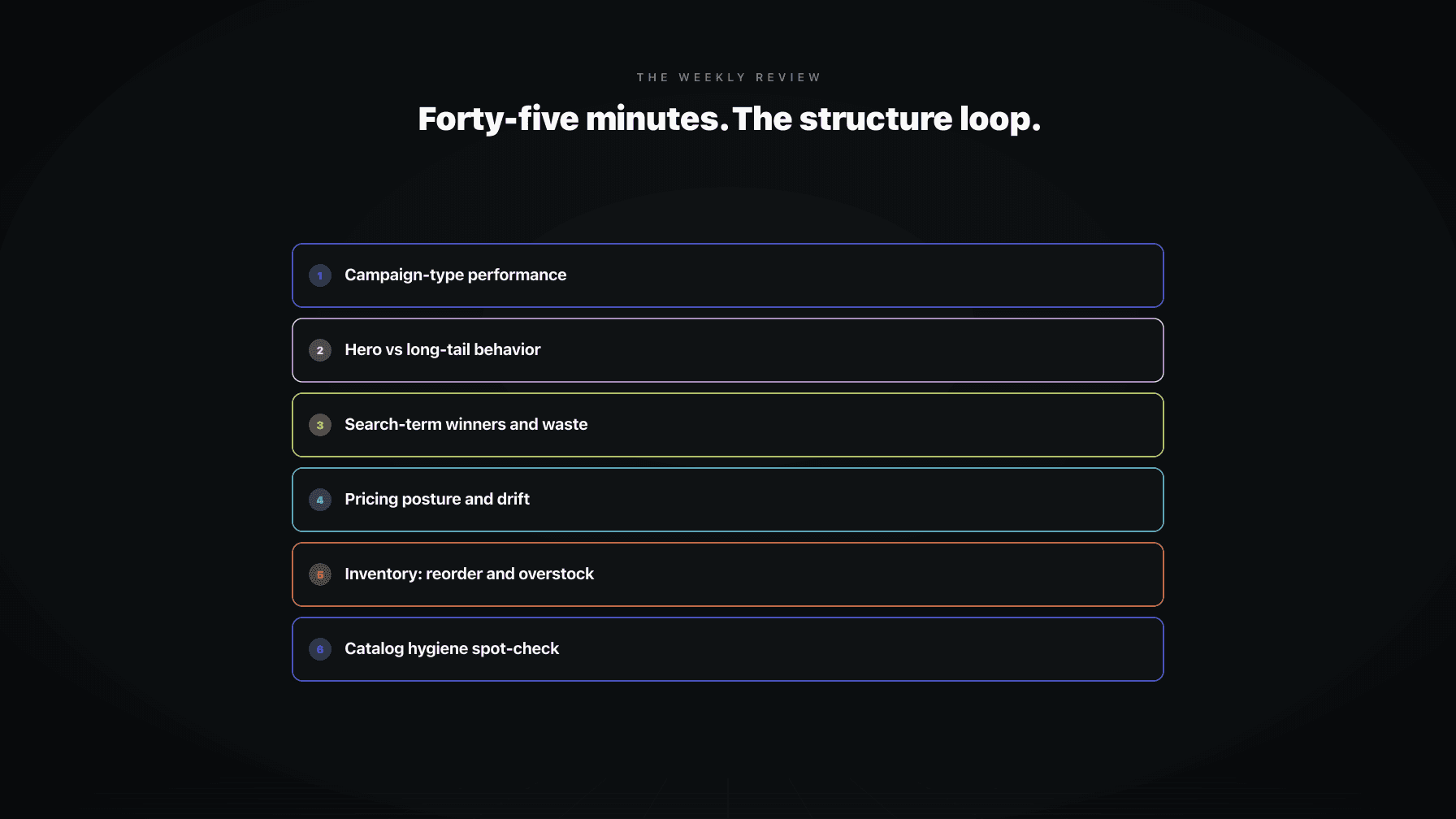
The daily, weekly, and monthly cadence is the right way to run an Amazon account. The daily loop catches the urgent. The weekly loop manages the important. The monthly loop sets direction. The problem was never the cadence. The problem was that running it across six tools made each loop a chore you abandoned by the second week.
Mission Control makes each loop a short, decisive session because every loop reads from the same surface. The daily review lives in the approvals panel and the about-to-happen panel: clear the queue, check what fires today, done in minutes. The weekly review lives in the audit timeline and the targets panel: did last week's actions move us toward goal, and do the guardrails still fit. The monthly review uses the same record to reset targets and reallocate.
None of those sessions require reconciling tools, because there is nothing to reconcile. One surface, one source of truth, three rhythms on top of it. The cadence stops being a discipline you have to force and becomes the natural shape of how you use the screen. That is what an operating system for Amazon brands delivers, and what a pile of dashboards never will.
If you are assessing a tool that calls itself a command center or a control room, run it through these tests before you believe the label.
Does it show all five panels, or only some. A lot of tools show targets and a timeline and call it a control room. If there is no live approvals queue and no forward-looking panel, it is a reporting layer wearing the word.
Is it writable. Can you change a target, adjust a guardrail, and approve a decision without leaving the screen. If any of those sends you to another tool, the surface is read-only no matter what the marketing says.
Does it run on shared state. Ask whether the pricing logic and the bidding logic read from the same source of truth, including landed cost and inventory. If they do not, the surface will contradict itself and you are back to reconciling.
Does every action carry a reason, and can you set autonomy per agent. A timeline that logs what happened without why is a log, not an audit trail. And a real surface lets you keep one agent on a tight approval leash while another runs more freely, then change that as trust is earned. A single global on-off switch is not operations.
Profasee Mission Control is one surface that runs four agents at once. Marko handles PPC. Oracle handles pricing. Bruno, the demand planner, handles inventory and forecasting. Brett, the catalog auditor, watches your listings. They do not run in four separate tabs reporting four separate truths. They run on one shared state, on one screen.
That means your targets, your guardrails, your pending approvals, and your full audit timeline live in one place across all four agents. When Oracle wants to drop a price, it already reads Bruno's inventory position and Marko's spend, because they share the surface. The conflict between locally correct and globally wrong cannot happen, because there are no locals. There is one account, seen whole.
You set the targets, the guardrails, and how much autonomy each agent gets, moving them up or down the trust ladder as they earn it. The about-to-happen panel shows what is queued before it fires. The audit timeline shows why every past action happened. The daily, weekly, and monthly cadence runs on top of this surface without a single tab switch. To see the loops in practice, start with Amazon operations and Mission Control, or look at how PPC software fits the larger surface. When you are ready, check pricing or apply.
Amazon Mission Control is a single operator surface for running your account. Instead of switching between a repricer, a PPC console, a keyword tool, a spreadsheet, and Seller Central, you sit in one screen that holds your targets, your guardrails, the decisions waiting on you, what your agents already did, and what they are about to do. It is a control room you act inside, not a dashboard you read.
A dashboard is read-only and backward-looking. It shows you numbers that have already settled and asks you to figure out the next move somewhere else. A control room is writable and present-tense. Reading and acting happen in the same place, in the same moment, because the surface runs on shared state and lets you change targets, adjust guardrails, and approve decisions without leaving the screen.
Separate tools each see one silo and report honestly from inside it. None sees the whole picture, so you become the integration layer, reconciling numbers by hand before you can decide anything. That reconciling kills your cadence. One screen on shared state removes it, so a review becomes a set of decisions instead of a math exercise.
An operator surface should show five panels: your targets (the goals agents optimize for), your guardrails (the rules nothing can cross), pending approvals (decisions waiting on you), what just happened (an audit timeline with the reason for every action), and what is about to happen (scheduled automations and approaching thresholds). Most tools show one or two of these and call it a command center.
Yes, that is the point. A real operator surface runs the pricing and PPC logic on one shared state instead of separate tabs that contradict each other. The pricing agent reads inventory and spend before it moves a price, the PPC agent reads margin before it moves a bid, and you approve or guardrail both from the same screen.
Analytics reports the past. An operator surface acts in the present and shows the future. Analytics tells you ACOS climbed last week. An operator surface shows the bid about to fire tonight, the inventory line you will cross in four days, and the approval waiting on your yes right now, with the controls to handle each one in the same view.
Each loop reads from the same surface, so each becomes a short, decisive session. The daily review lives in the approvals queue and the about-to-happen panel. The weekly review lives in the audit timeline and the targets panel. The monthly review uses the same record to reset targets and reallocate. No reconciling across tools, because there is one source of truth underneath all three rhythms.